 Synch
The Architect
A Discord bot from Synch that sets up your server's roles, channels and permissions from a template, then keeps them right as the server grows. You see every change before it happens, a backup is taken first, and you can undo it.
Free to use. It never asks for Administrator.
Setting up a server takes a few minutes
- Add The Architect to your server.
- In Server Settings → Roles, drag its role to the top. Discord doesn't let a bot do this itself. It must at least sit above your verified (Member) role, or it can't give that role to people when they press Verify.
- Type
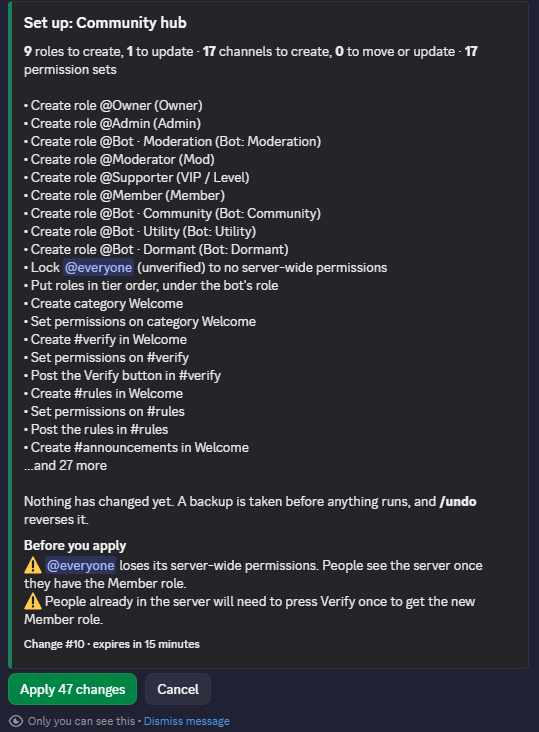
/setup, or open the dashboard, and pick a template. - Read the list of changes and press Apply.
Roles and channels you already have are reused rather than duplicated, and anything that isn't in the template is left alone. If you change your mind, /undo puts the server back.
What you end up with
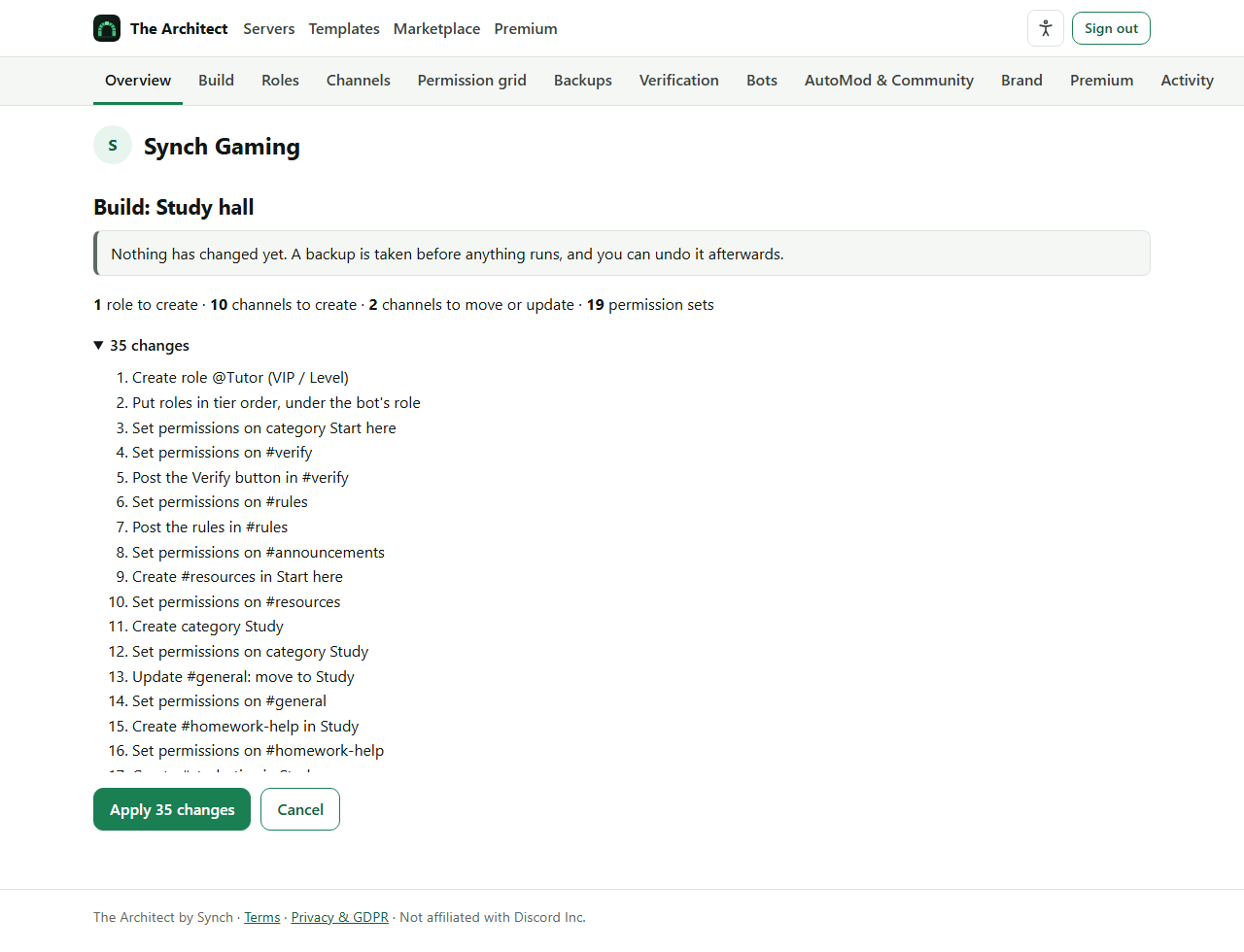
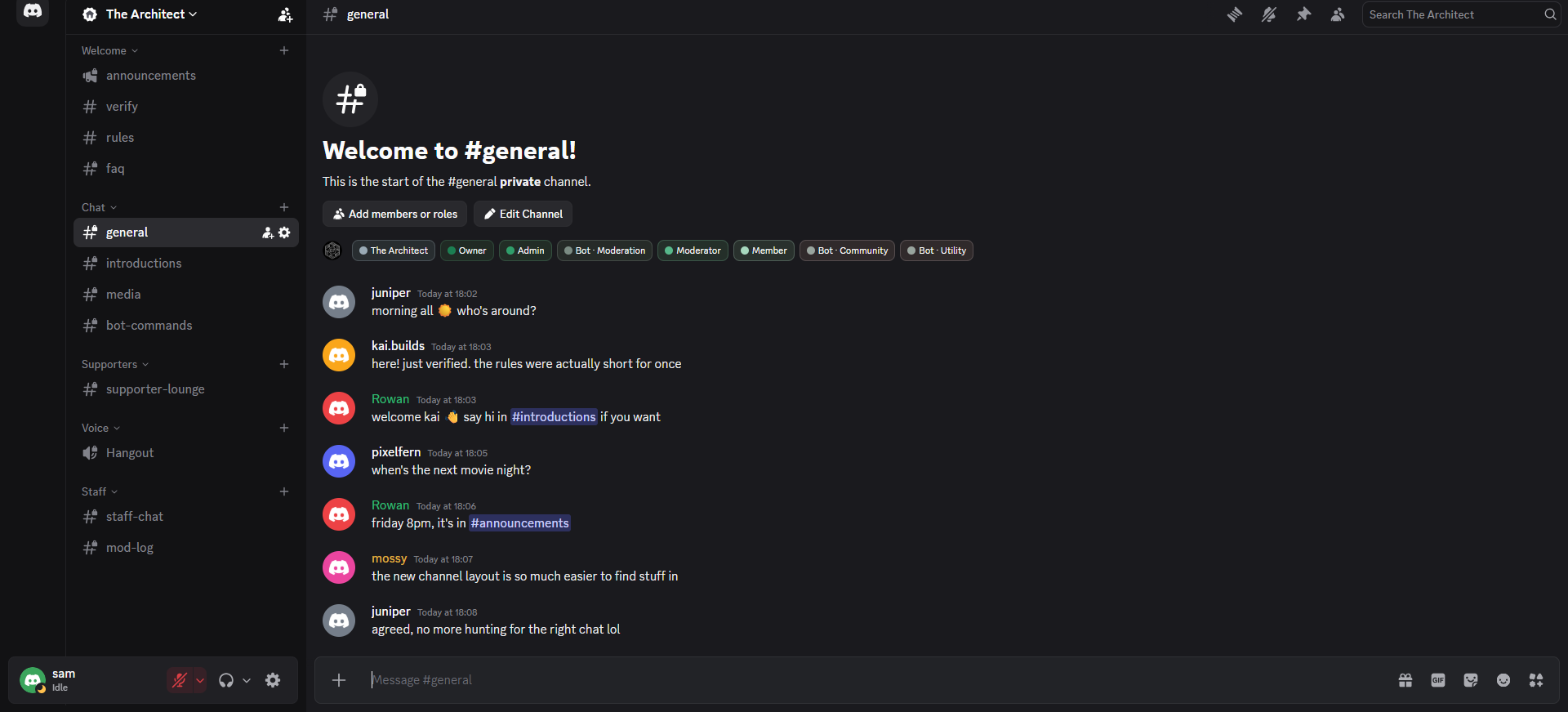
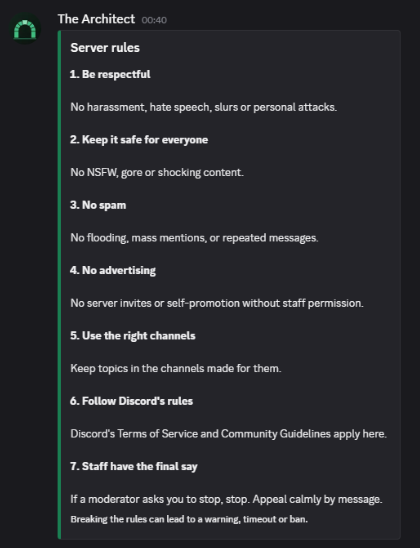
This server was set up with the Community hub template in one go: a Welcome area with rules, FAQ and announcements, chat channels, a supporters' lounge, voice, and a staff area nobody else can see.
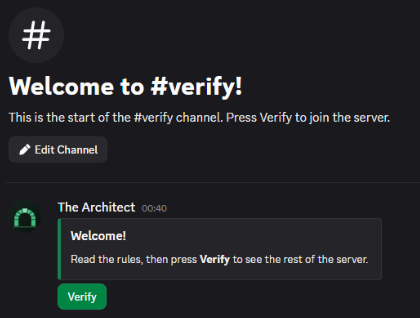
New members only see #verify and #rules until they press Verify. After that #verify disappears for them and the rest of the server opens up. Staff can post in announcements; everyone else can read and react.
Permissions you don't have to work out
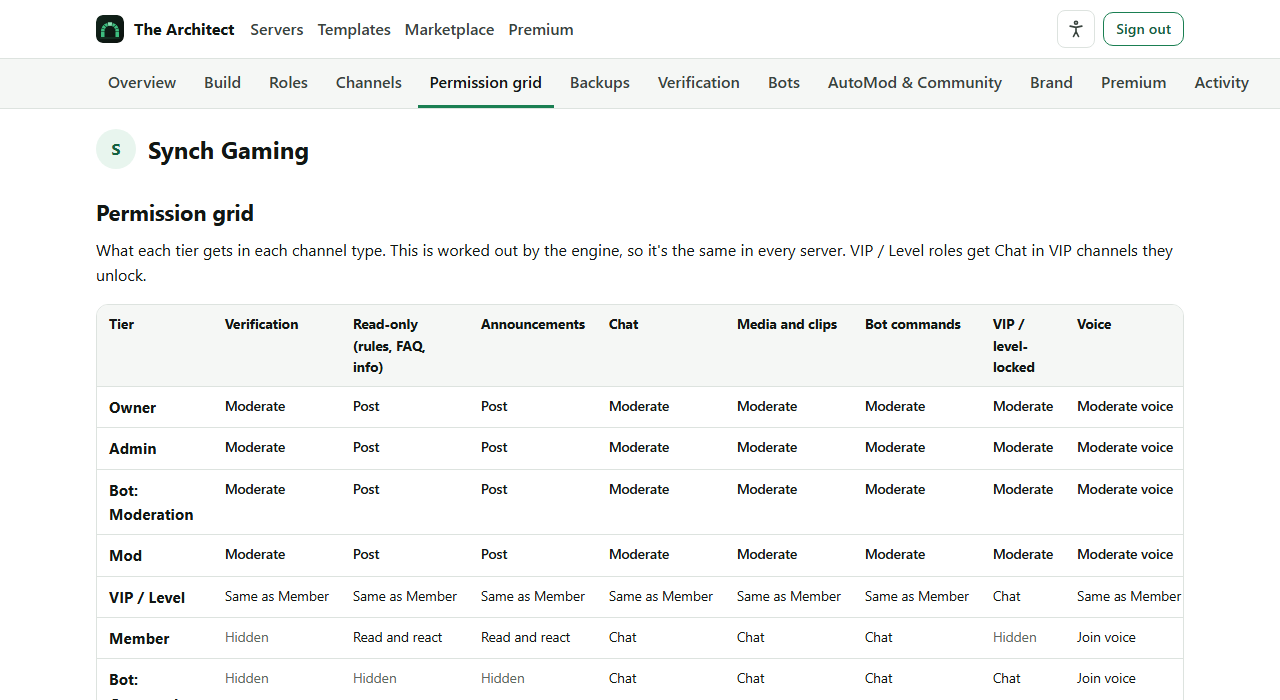
Each role has a tier: Owner, Admin, Mod, VIP or level, Member, or one of the bot tiers. Each channel has a type: rules, announcements, chat, media, VIP, voice, staff or logs. The Architect works out every channel's permissions from those two things.
That's why a role you add later and forget about can't post in your rules channel: it has no tier, so it gets no extra access. The same table applies in every server, and the dashboard shows it in full.
Templates, and a marketplace to share them
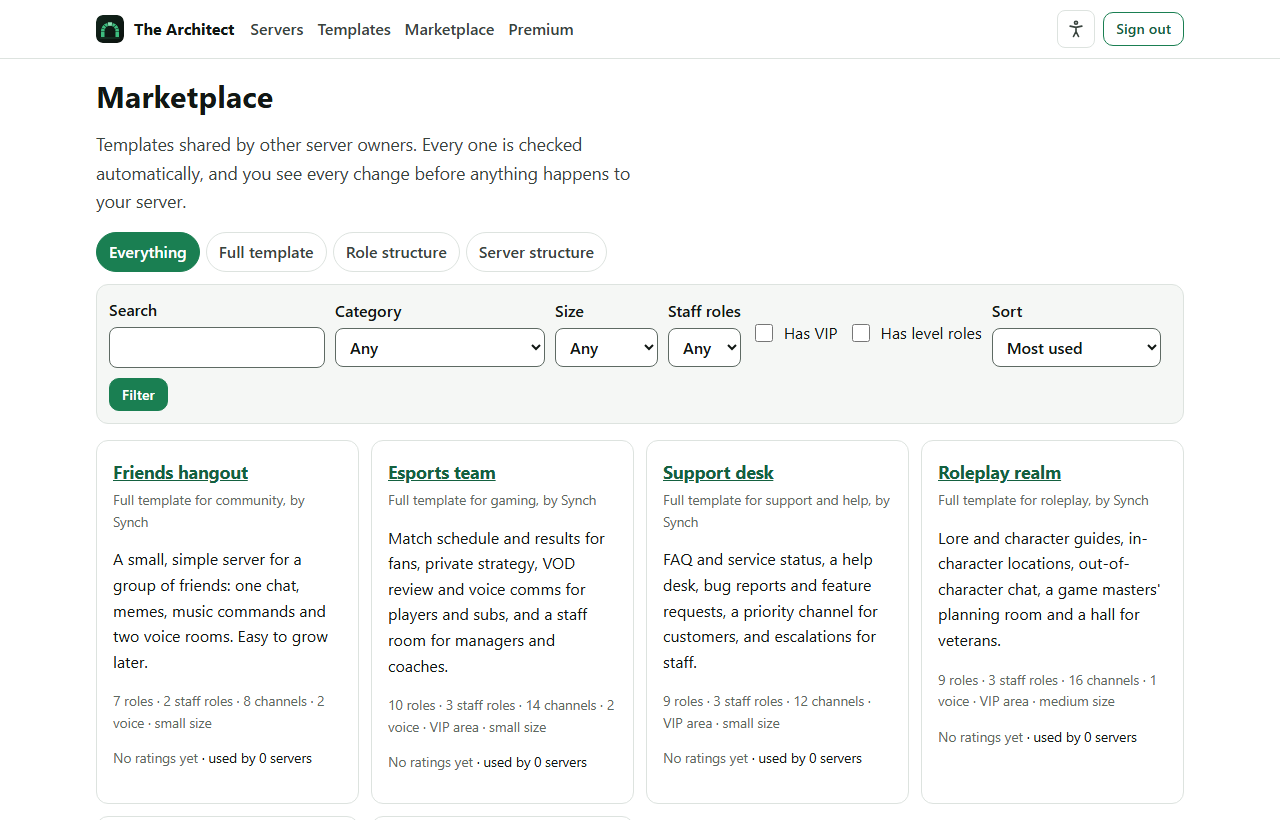
Start from a template made by Synch, or one another server owner has shared. You can take the roles from one and the channels from another, or copy one and change it before you use it. The original never changes.
Synch's own templates:
- Study hall, for classes and study groups
- Creator community, for streamers and YouTubers
- Roleplay realm, with lore and in-character channels
- Support desk, for help and bug reports
- Esports team, with private team channels
- Friends hangout, small and simple
Everything shared in the marketplace is checked automatically, and you see each change before it touches your server.
Looking after the server afterwards
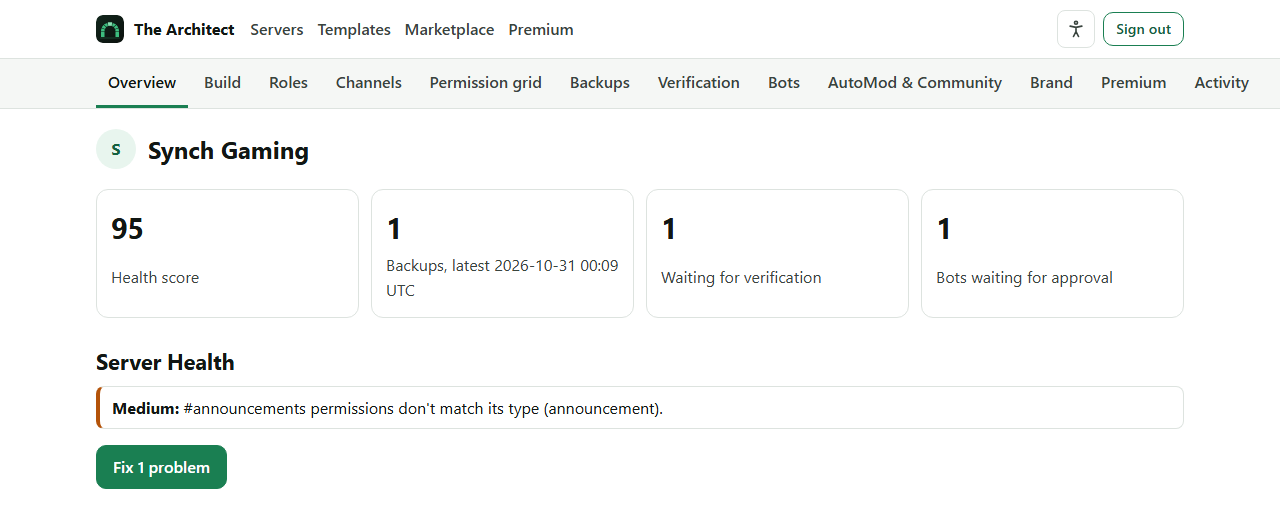
- Server Health checks for permissions that have drifted, and fixes them when you ask.
- Backups of roles, permissions, channels and your logo. Never messages or member information.
- Verification gives new members a quiet risk score when they press Verify. High scores wait for a moderator; nobody is banned on a score.
- A list of the other bots in your server, what each is allowed to do and who approved it, with a warning if one gains permissions or stops being used.
Official support server
Get help in The Architect server
The Architect has its own Discord server. Go there for help setting up your server, to report a bug, and for news about updates and new templates.
Add it to your server
It's free. The dashboard has the same tools as the commands, with a few extras on Premium, such as fixing permissions automatically and scheduled backups.